
Jak tworzyć kopię zapasową
24 kwi
Backup Types
Backups can be created in several ways, and it's not a particularly difficult task. There are several types of backups, including full, incremental, and differential.
A full backup – a so-called mirror – always performs a complete backup of all selected files and folders, or even the entire disk and system. Incremental and differential backups only back up newly added and changed files. The difference is that an incremental backup stores files added and changed since the last backup, while a differential backup stores files from the last full backup.
Which backup should you choose?
The right method depends on the amount of data to be backed up, the backup frequency, how often the data changes or how quickly it grows, and the location and method of backup. A full backup is suitable for small amounts of data or when it is performed on devices that provide very fast backups, such as a second drive on the computer or an external USB 3.0 drive.
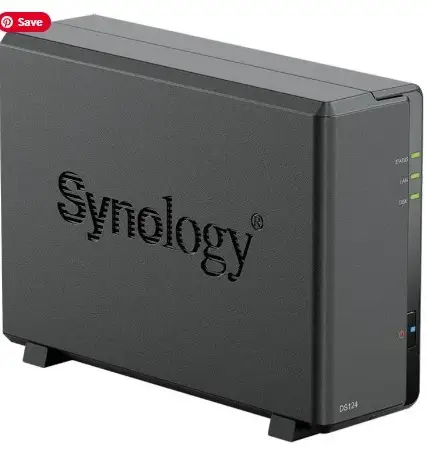
Backup is performed over the network: to a NAS server or the cloud.
How to backup data and what hardware should you choose?
How to back up data? There are many ways to do this, with both software and hardware solutions available. Let's take a look at both. Backups should be made to an additional drive. This can be a second drive on your computer or an external storage device. Depending on the size of the data being backed up, it can be a flash drive, an external hard drive with a capacity of 500GB to 4TB, or a CD, DVD, or Blu-ray disc – if your computer has an optical drive.
Zbuduj z nami nowoczesną stronę internetową
Sprawdź nasze innowacyjne usługi technologiczne, które pomogą Twojej firmie osiągnąć sukces w dynamicznym świecie biznesu.
Przeglądaj inne artykuły
 25 lut
Jak skutecznie rozwijać oprogramowanie w dynamicznym środowisku technologicznym
W dzisiejszym dynamicznym środowisku technologicznym rozwój oprogramowania wymaga zwinności i innowacyjnego podejścia. W książce „Jak skutecznie rozwijać oprogramowanie w dynamicznym środowisku technologicznym” poznasz kluczowe strategie, które pozwolą Twojemu zespołowi lepiej dostosowywać się do zmieniających się wymagań rynku. Dowiedz się, jak integrować nowoczesne metodyki, takie jak Agile i DevOps, oraz jak wykorzystać narzędzia automatyzacji, aby zwiększyć wydajność i jakość dostarczania oprogramowania. Przygotuj się na przyszłość, stosując odpowiednie techniki, które pomogą Twojej firmie utrzymać konkurencyjność.
 23 mar
CISA i Cyber Security
Certyfikat CISA (Certified Information Systems Auditor) to prestiżowe, międzynarodowe poświadczenie kompetencji w audycie, kontroli i bezpieczeństwie systemów informatycznych, wydawane przez ISACA. Certyfikacja potwierdza umiejętność oceny podatności na ataki, cyberbezpieczeństwa i zgodności z regulacjami, co czyni ją jedną z najlepiej opłacanych w branży IT
 7 kwi
7 kwi
CyberRatings.org i NSS Labs
Dowiedz się, jak nowoczesne narzędzia i metody mogą zrewolucjonizować proces realizacji projektów IT w Twojej firmie.