Magazyny obiektów w chmurze Veritas NetBackup — tworzenie kopii zapasowych i odzyskiwanie danych
Veritas NetBackup zapewnia kompleksowe tworzenie kopii zapasowych i odzyskiwanie danych z magazynów obiektów w chmurze (AWS S3, Azure Blob, GCS) poprzez ochronę danych, metadanych, tagów i list kontroli dostępu (ACL). Obsługuje szczegółową ochronę opartą na regułach (pełną lub opartą na prefiksach) z elastycznym odzyskiwaniem do lokalizacji oryginalnej lub alternatywnej. NetBackup można wdrożyć lokalnie lub w chmurze, wykorzystując serwery multimediów NetBackup 10.1+ do wydajnego i bezpiecznego zarządzania danymi.
Kluczowe funkcje ochrony magazynu obiektów w chmurze NetBackup
Szeroka kompatybilność: Obsługuje magazyny zgodne z S3, Azure Blob Storage i Google Cloud Storage.
Szczegółowa ochrona: Reguły można skonfigurować tak, aby wybierały określone kontenery, kontenery lub używały prefiksów i tagów do filtrowania danych.
Przechowywanie metadanych: Tworzy kopie zapasowe obiektów wraz z ich metadanymi, tagami i listami kontroli dostępu (ACL).
Elastyczne odzyskiwanie: Umożliwia przywrócenie do oryginalnego kontenera, innego kontenera lub innego konta/subskrypcji.
Bezpieczeństwo: Funkcje obejmują obsługę właściwości blokady obiektów i bezpieczny transfer danych, jak twierdzi Veritas Technologies.
Proces tworzenia kopii zapasowych i odzyskiwania
Konfiguracja: Dodaj dane uwierzytelniające do chmury i zdefiniuj hosta kopii zapasowych (wymagany NetBackup 10.1 lub nowszy).
Zasady: Twórz zasady, wybieraj zasoby i definiuj harmonogramy (np. ten film z YouTube).
Kopia zapasowa: Uruchamiaj ręczne lub zaplanowane kopie zapasowe za pomocą interfejsu internetowego NetBackup (np. ten film z YouTube).
Veritas NetBackup provides comprehensive backup and recovery for cloud object stores (AWS S3, Azure Blob, GCS) by protecting data, metadata, tags, and access control lists (ACLs). It supports granular policy-based protection (full or prefix-based) with flexible recovery to the original or alternate location. NetBackup can be deployed on-premises or in the cloud, leveraging NetBackup 10.1+ media servers for efficient and secure data management.
Key NetBackup Cloud Object Store Protection Features
Broad Compatibility: Supports S3-compatible storage, Azure Blob Storage, and Google Cloud Storage.
Grain-Grade Protection: Rules can be configured to target specific containers or use prefixes and tags to filter data.
Metadata Retention: Backs up objects along with their metadata, tags, and access control lists (ACLs).
Flexible Recovery: Allows you to restore to the original container, another container, or another account/subscription.
Security: Features include object locking and secure data transfer, according to Veritas Technologies.
Backup and Recovery Process
Configuration: Add cloud credentials and define a backup host (NetBackup 10.1 or later required).
Policies: Create policies, select resources, and define schedules (e.g., this YouTube video).
Veritas Cluster Server vs. Commvault
Commvault is another key player in the security software category, known for its comprehensive data management and protection capabilities. When comparing pricing, Commvault offers a range of licensing options based on the capacity of data being protected, starting from $900 per terabyte per year for small to medium-sized businesses. For larger enterprises with petabytes of data, the cost can exceed $50,000 per year.
Veritas Cluster Server and Commvault cater to different business sizes and types, with Veritas being more focused on high availability and cluster management, while Commvault offers a broader range of data management solutions. Businesses looking for a more specialized solution may find Veritas Cluster Server to be a better fit, while those needing a comprehensive data management platform may opt for Commvault despite the higher price point
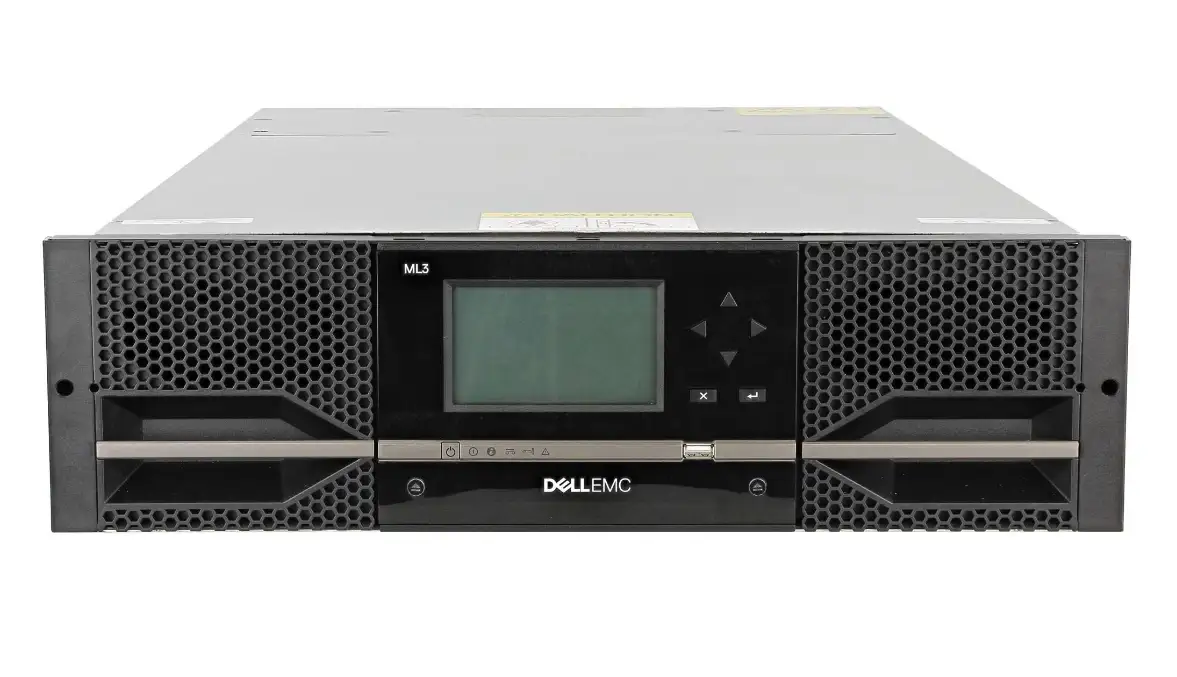
The cost of a tape library (e.g., ADIC, now often associated with Quantum or available as used/leased solutions) depends on its capacity, the generation of LTO drives (e.g., LTO-6, LTO-7, LTO-8), and condition (new/used).
Here are estimated costs based on available market offers for this type of device:
Used/older models (e.g., Dell TL2000, older ADIC/Quantum): Prices start from approximately PLN 2,000 to PLN 10,000 net for smaller units (e.g., 2U, 1-2 LTO4/LTO5/LTO6 drives).
New LTO tape libraries (e.g., actiLib Kodiak, Qualstar): Price depends on the number of slots and drives. Smaller 2U/3U libraries (e.g., actiLib Kodiak 3416) can cost several thousand zlotys, while larger, more advanced 6U units (e.g., actiLib Kodiak 6807) are significantly more expensive. LTO-7/LTO-8 models (newer): Newer devices cost tens of thousands of zlotys or more, depending on the configuration.
Backup: Run manual or scheduled backups using the NetBackup web interface (e.g., this YouTube video).
Veritas Technologies